

AudioBookmaker
From a narrator reading aloud to finished audiobook chapters, checked paragraph by paragraph against the book.
- Windows
- Android tablet
AudioBookmaker is the studio tool we built for our own audiobooks. It is not sold off the shelf. If you are an author or a narrator and want to know more, tell us about your book.
Contact us about AudioBookmakerAudioBookmaker turns a narrator reading aloud into finished audiobook chapters, and shows, paragraph by paragraph, what has been recorded, checked, approved, and what is still missing. The engineer runs it on a Windows PC beside the microphone; the narrator holds an Android tablet with the page on it.
The book is the authority. Speech recognition listens to every take and lines it up with the manuscript, word by word. Where the reading and the page differ, AudioBookmaker lists the difference for the author to decide. It never rewrites the book to match the recording, and never edits the recording to match the book.
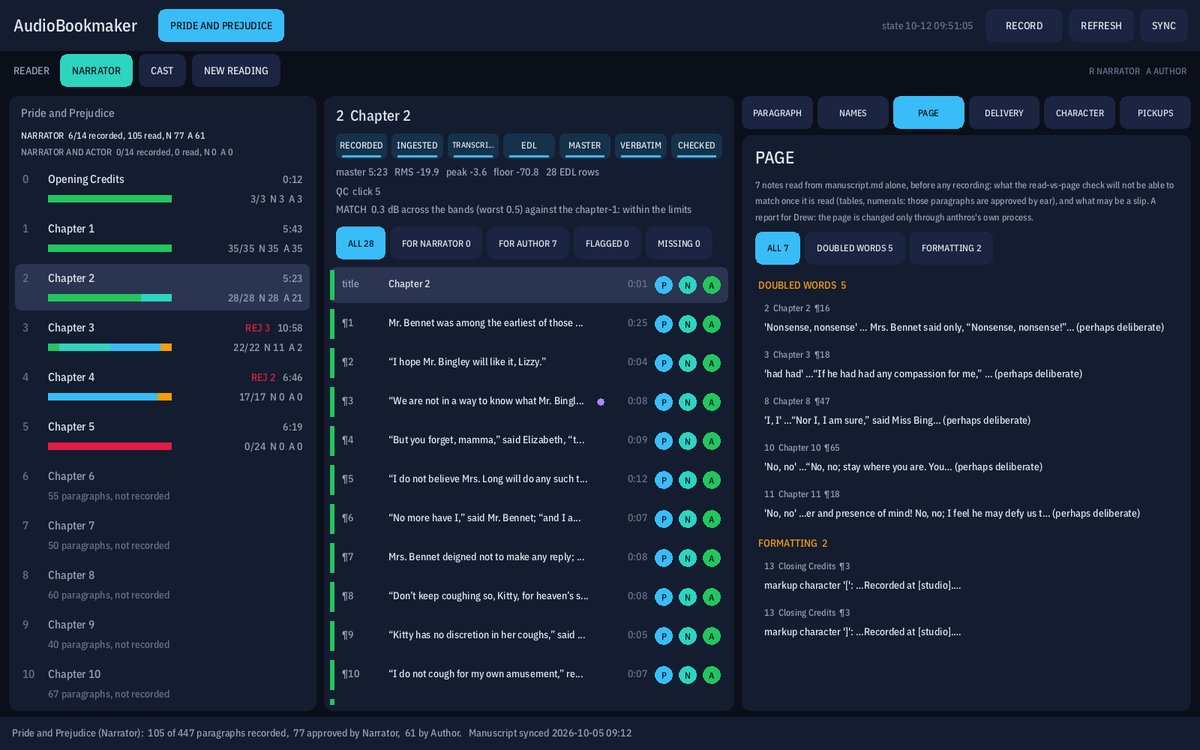
Every picture on this page is the shipped panel working on a demonstration book: the opening chapters of Pride and Prejudice, which is in the public domain, with stand-in audio in place of a narrator. Our own books stay private until they are published.
The words decide the cut
A narrator can stop, go back and read a line again without touching anything. AudioBookmaker hears what was actually said, finds the best read of every sentence across the takes, and assembles the chapter from them. The buttons are hints; the words decide.
A recording is never changed
Every take is kept exactly as it was recorded, and written to disk as it comes in, so a crash loses at most a second. Cleaning, cutting and mastering are built from the takes, so any of it can be redone without losing a word of the performance.
No language model
The program’s check is plain code and speech recognition, run on our own machine. Nothing is written for the narrator, nothing is read for them, and nothing is approved for them.
The panel
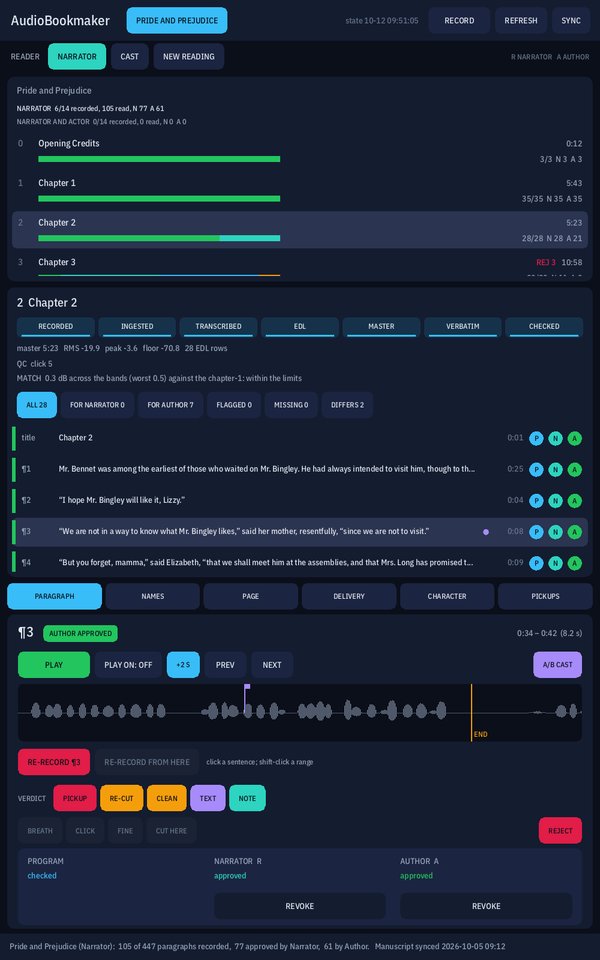
The book, the chapter, the paragraph.
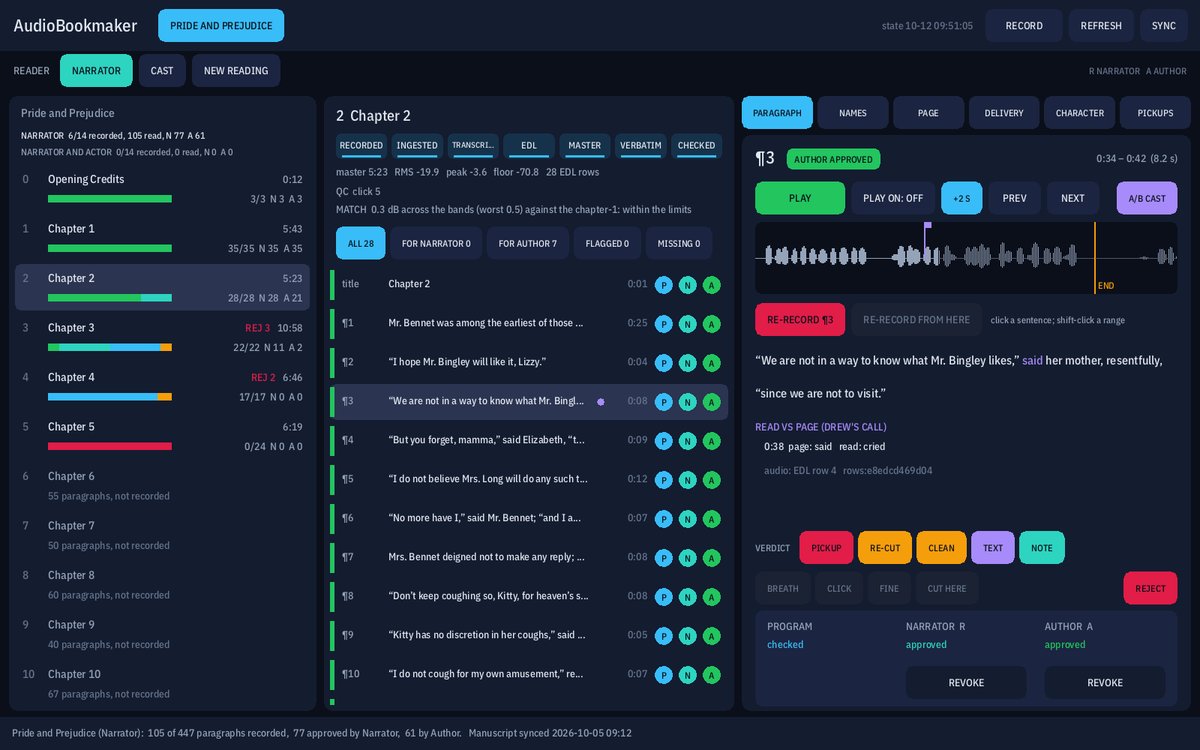
The panel reads left to right. On the left, every chapter of the book, recorded or not, with its length and a bar of its paragraphs’ states. In the middle, the chapter: its pipeline as a strip of stages from RECORDED to CHECKED, the master’s loudness numbers, and its paragraphs. On the right, the paragraph itself.
Each paragraph carries three marks. P is the program’s check, which we call Program. The second is the reading’s reviewer, and the third is the author, whose word is final. A paragraph is done when the author has approved the audio it has now.
- The paragraph list filters to what needs someone: the reviewer, the author, the flagged, the missing.
- The paragraph’s words are coloured by how they were read: violet where the narrator said another word, struck through where a word is not in the master at all.
- Its waveform plays from wherever you click, and the word under the playhead is lit as it plays.
- An approval names the exact audio it heard. Re-cut that audio, or change the paragraph in the manuscript, and the approval goes stale and asks to be heard again.
Program’s check
The first listener is a program, and it tells you why.
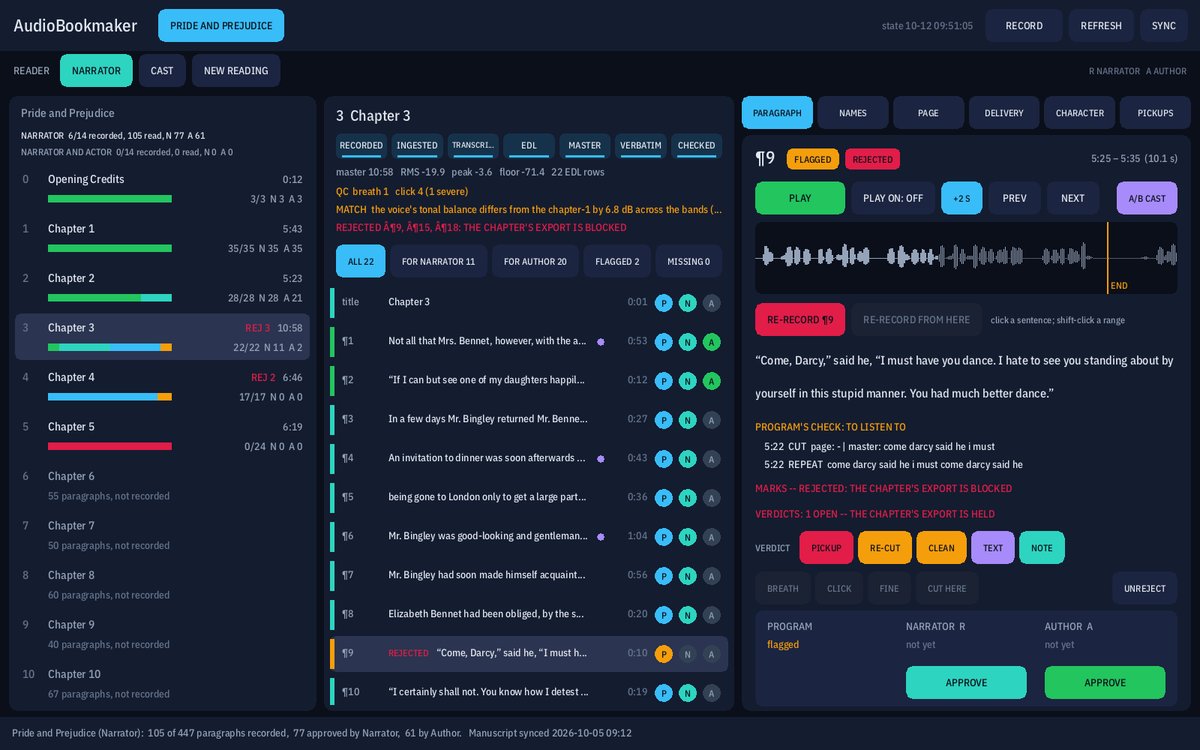
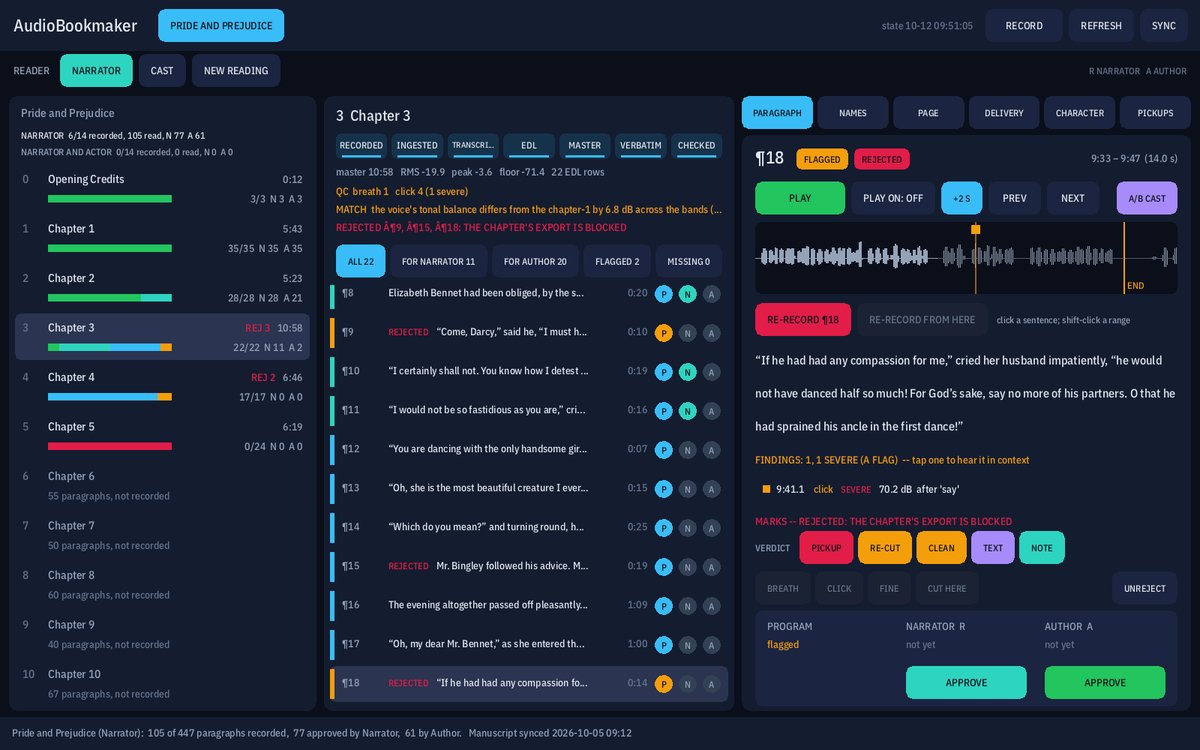
Program listens to every master against the page. It passes a paragraph when every sentence of it is in the master, nothing in it needs cutting (no false start, no phrase read twice, no stretch out of step with the page), and nothing in its audio is severe.
When it doesn’t pass, it says what it heard and where, with the time in the master. A word or two read differently is not a fault: it is listed for the author to decide, not flagged.
- The audio check listens for clicks, breaths, plosive pops, level jumps at a join and dropouts, and puts each one on the waveform as a tick you can click to hear.
- Every master is measured against the audiobook stores’ numbers: loudness, peak and noise floor.
- A person can approve over a red P, and the record says it was over Program’s flag.
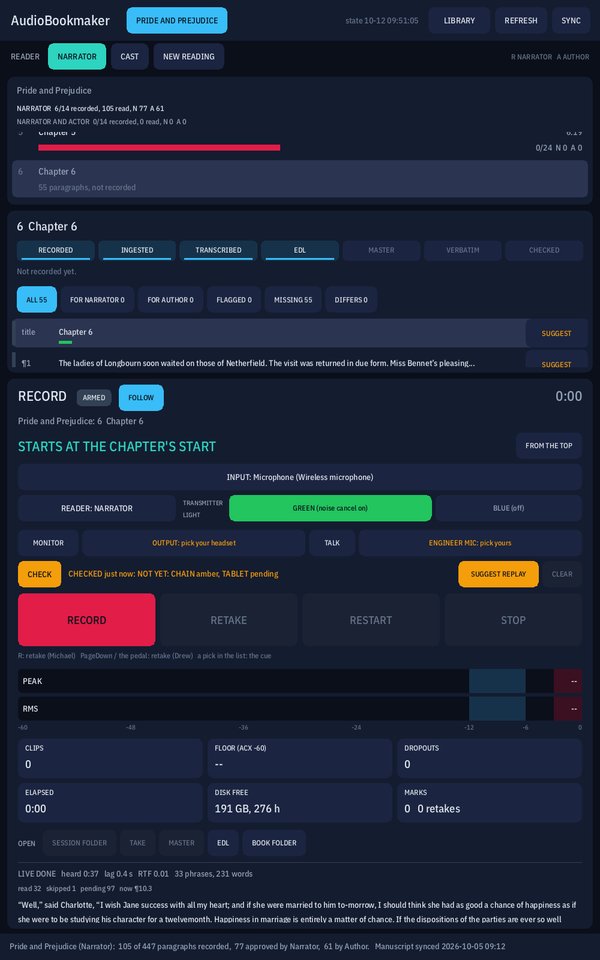
RECORD
A recording desk that knows the book.
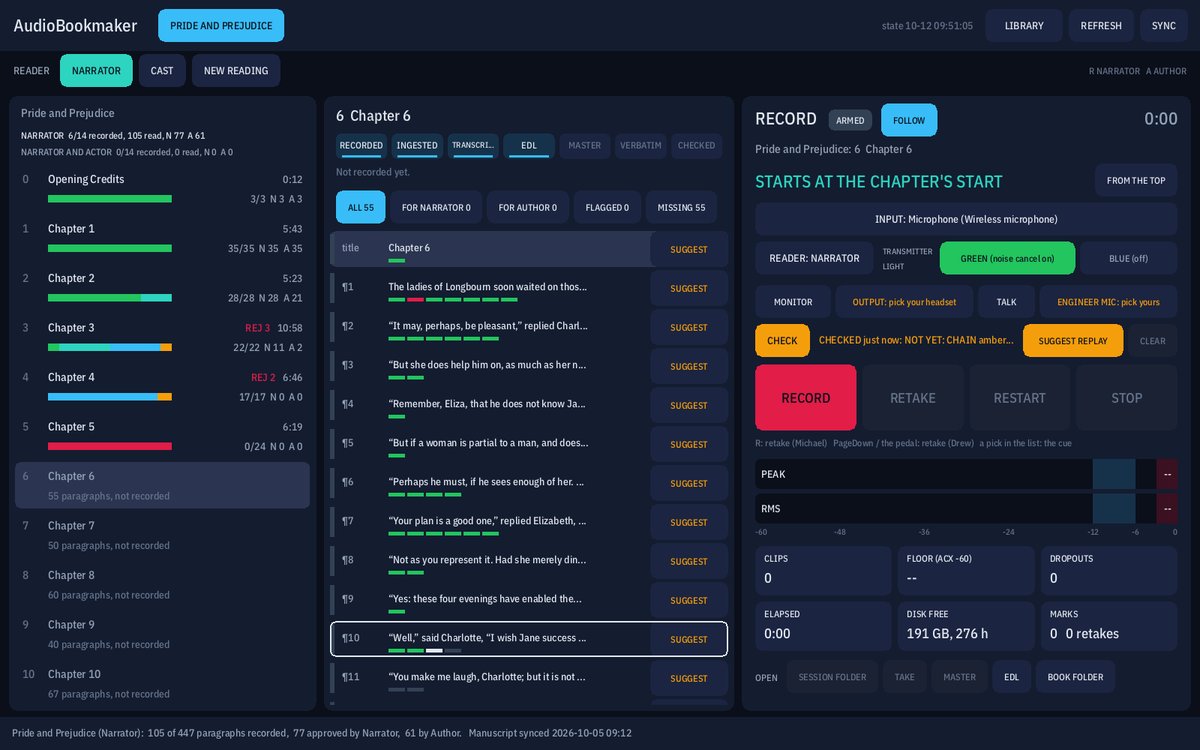
The desk arms a chapter and cues the paragraph the narrator starts at. RECORD, PAUSE, RETAKE, RESTART and STOP are big, and a foot pedal or a presentation clicker can be the retake button. Nothing is modal, and only STOP ends a take.
The meters run the mic test’s checks on every sample as it is written: peak and RMS against their targets, clips, the noise floor against the stores’ limit, dropouts, elapsed time, and the disk space left in hours.
- The transmitter’s noise-cancelling light is declared on the desk and checked against the room: a floor that sounds like the other setting puts a line on the desk.
- MONITOR plays the microphone to the engineer’s headset, and TALK speaks to the narrator’s tablet. Neither ever touches the take.
- Every take lands in its own session folder with its marks, and a long take rolls on into new files without a gap.
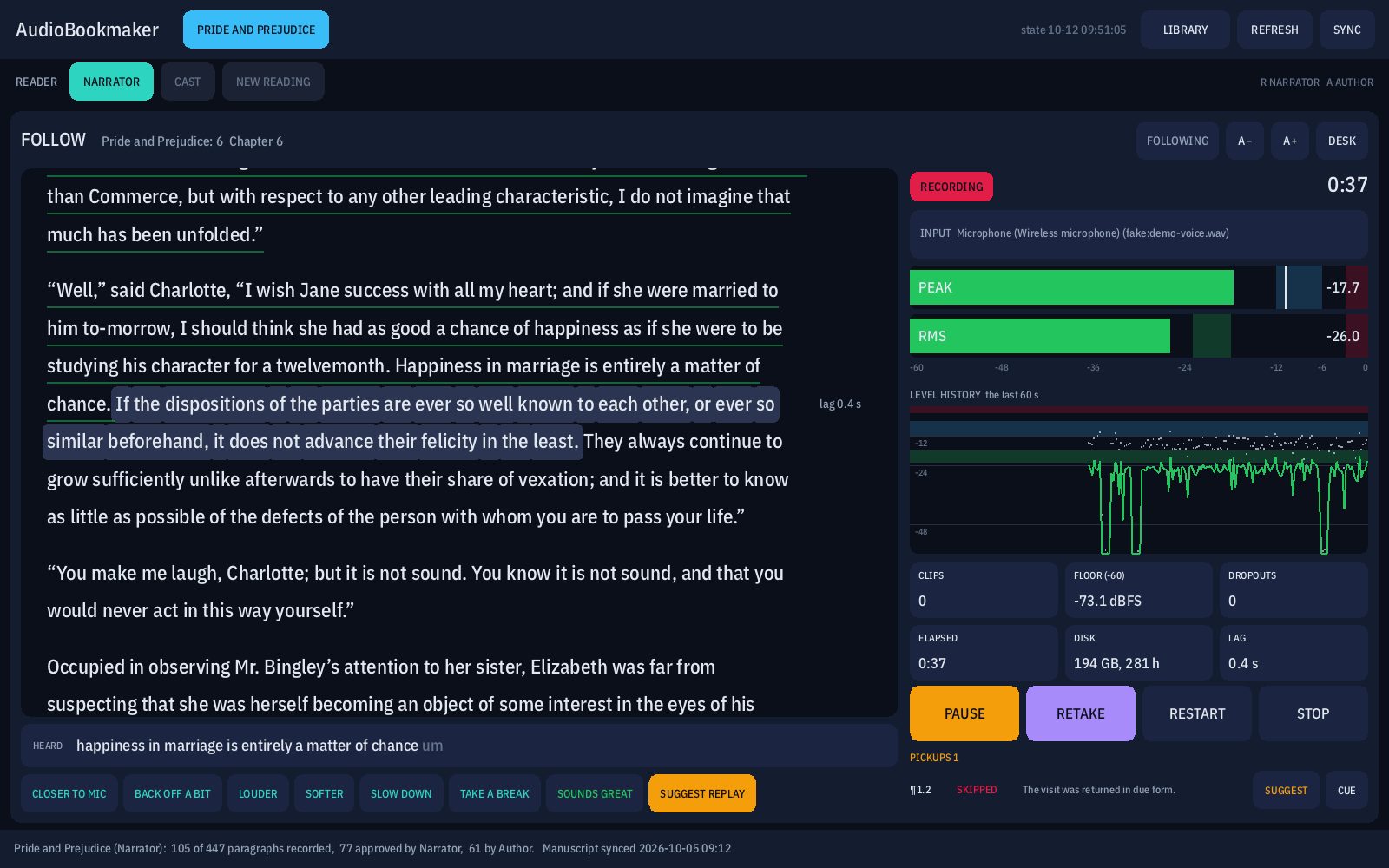
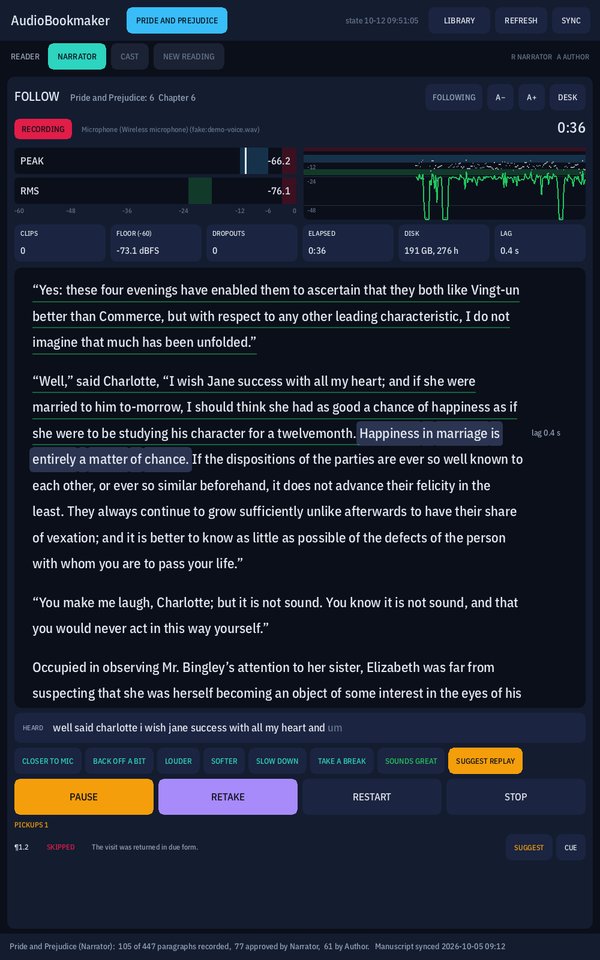
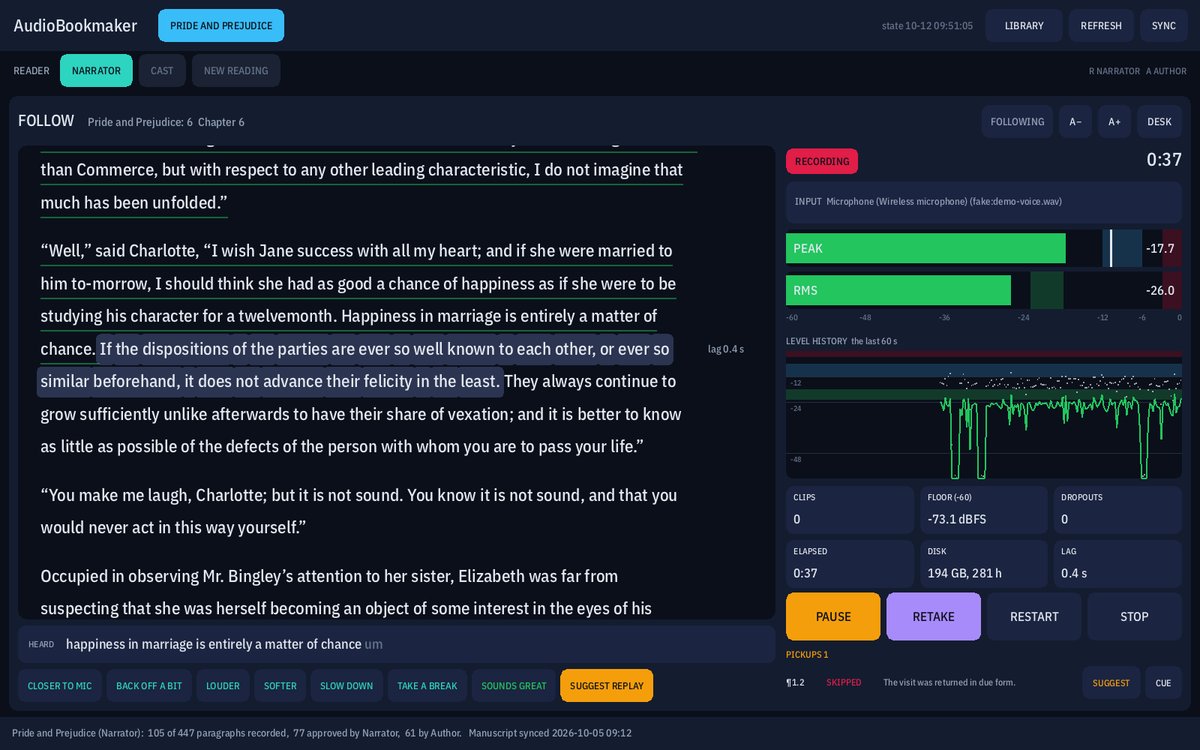
FOLLOW
The engineer reads along while the program listens.
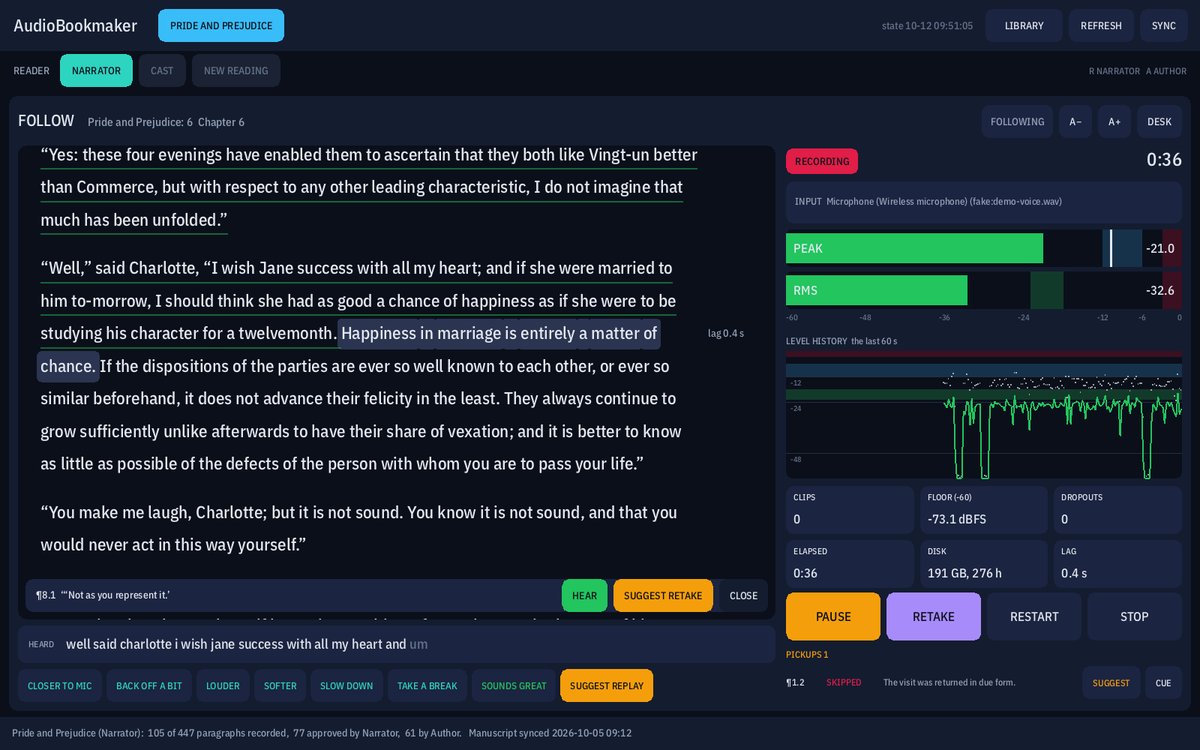
When a take opens, the panel turns into FOLLOW: the chapter’s page, with the sentence Program hears now lit and kept a third of the way down, and the meters beside it, big. Read sentences get a quiet green underline; a skipped one turns red; words heard differently turn violet as they come in.
Under the page runs a caption of the last words heard, so a slip can be caught without hunting for it. Tap any sentence to hear it straight out of the take that is still recording, or to suggest a retake.
- Quick notes for the narrator, one tap each: closer to the mic, back off a bit, louder, softer, slow down, take a break, sounds great. Each fades from the narrator’s page after a few seconds and never moves it.
- The level history shows the last minute, so a drift or a quiet passage is a shape, not a number.
- A skipped sentence goes straight onto the pickup list.
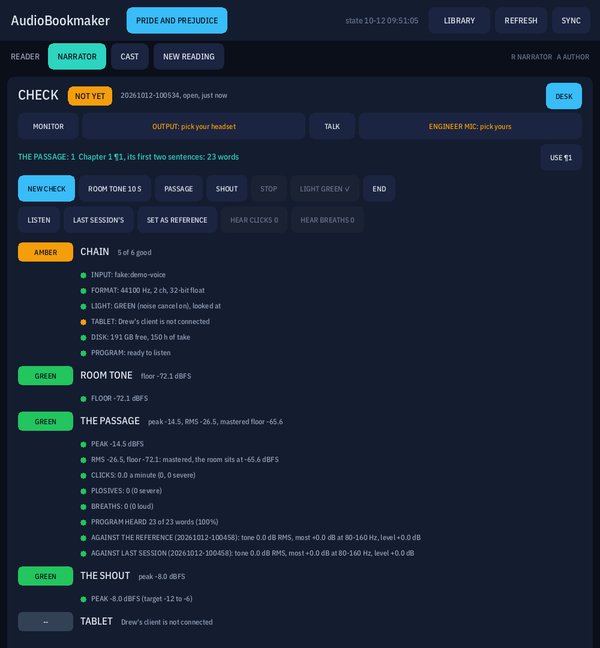
CHECK
Five by five before the first word.
Before a session, a short check proves the chain, and it is never a take. It measures the room with nobody speaking, has the narrator read the same two sentences every session, and asks for one loud line.
Each step is green, amber or red, with its number, and says what to do while it records. Everything green is 5 BY 5. The check never blocks RECORD; the desk just says how long ago the last one was.
- CHAIN: the right microphone, its format, the transmitter light looked at, the tablet connected, hours of disk, and Program ready.
- ROOM TONE: the floor, hum, rumble and any sound in the room.
- THE PASSAGE: level, clicks, plosives and breaths, whether Program heard the words, and the voice compared with the reference check and last session’s, so a change of distance or angle shows.
- THE SHOUT, and the TABLET seen both ways up.
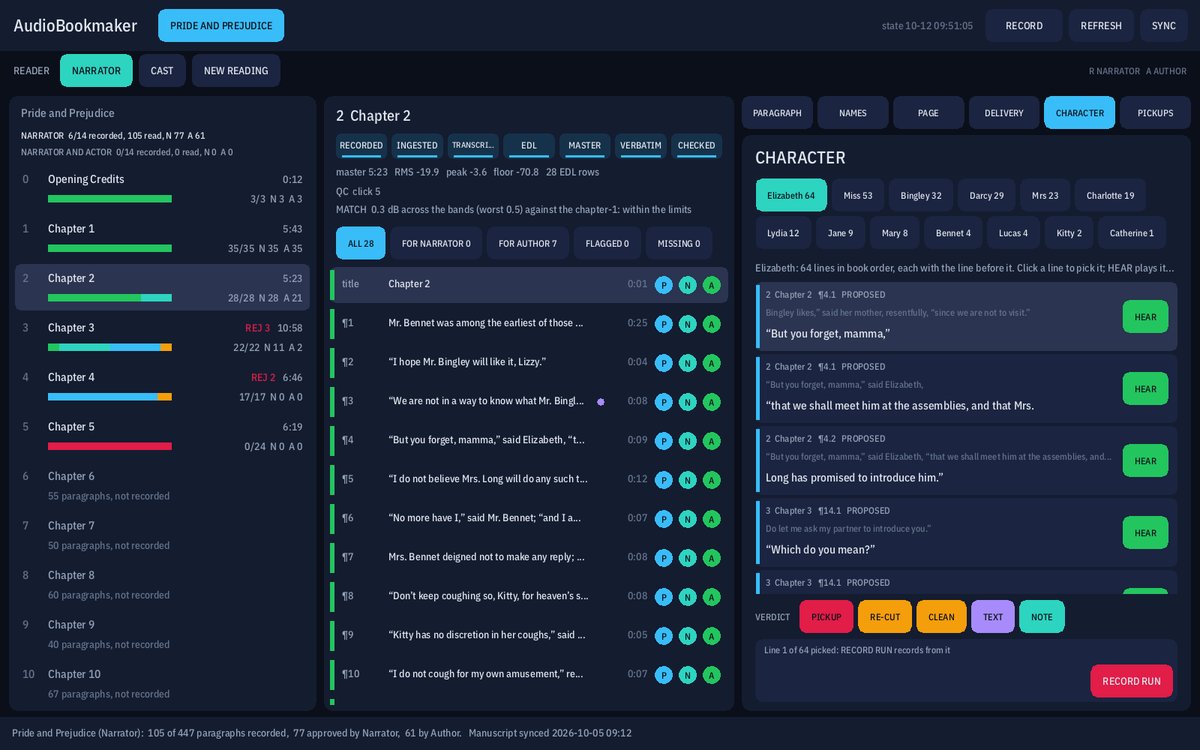
CHARACTER
One character’s lines, all of them, in one voice.
CHARACTER lists everyone who speaks in the book with how many lines they have, from the page’s own speaker tags. Pick one and their lines come up in book order, each with the line before it as the cue and HEAR to play just that line out of the master.
RECORD RUN takes the narrator through that character’s lines one after another, so the voice holds from the first line to the last. The cut still comes from the words.
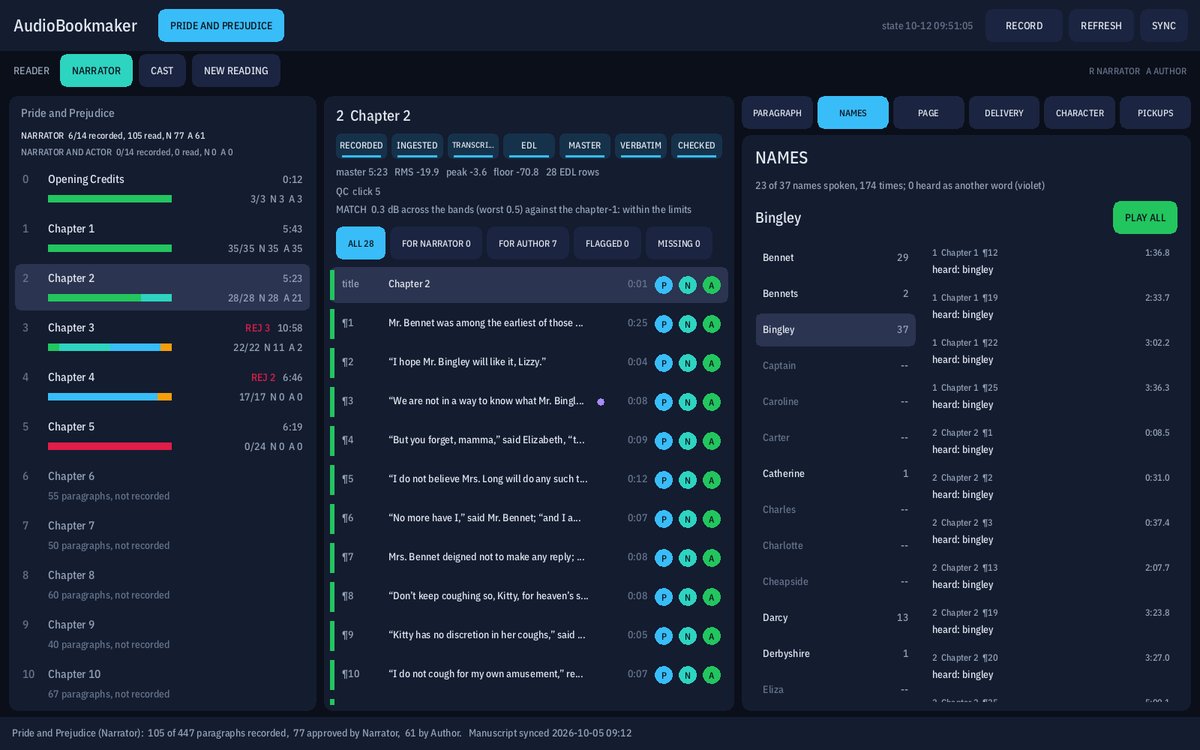
NAMES and PAGE
Every name, every time it is spoken.
NAMES lists every name in the book with how often it is spoken. Pick one and every occurrence lists in listening order, with its time in the master and what the recognizer heard. Tap one and it opens at that word, playing from just before it. PLAY ALL plays them back to back, so a name said two ways stands out.
PAGE is a report on the manuscript itself, for the author: doubled words, likely typos, tables, numerals, quote tags, formatting. It never edits the manuscript.
The narrator’s tablet
The page, the session buttons, and nothing else.
The narrator holds an Android tablet. It shows the chapter’s page and the session’s controls, and nothing from the processor: no lit sentence, no meters, no red skips. The narrator reads; the engineer watches.
The type size is the narrator’s, by pinch or A− and A+, and the place on the page survives a turn of the tablet, a pause or a reconnect. During a take the controls fade back after a few seconds so the page is mostly words, and a resting thumb can’t stop it.
- The tablet runs the session just as the desk does: arm, cue a paragraph by tapping it, record, pause, retake, restart, stop.
- Small lights at the page’s edge stay quiet unless the narrator should look: too loud, a replay the engineer suggested, or the program lost on the page.
- REVIEW plays any paragraph with its waveform and flags, and the author approves from there. The tablet never writes an approval itself: it asks the panel, which checks that the audio it names is still the audio it holds.
- It finds the panel on the home network by itself. Nobody types an address.
What AudioBookmaker is for
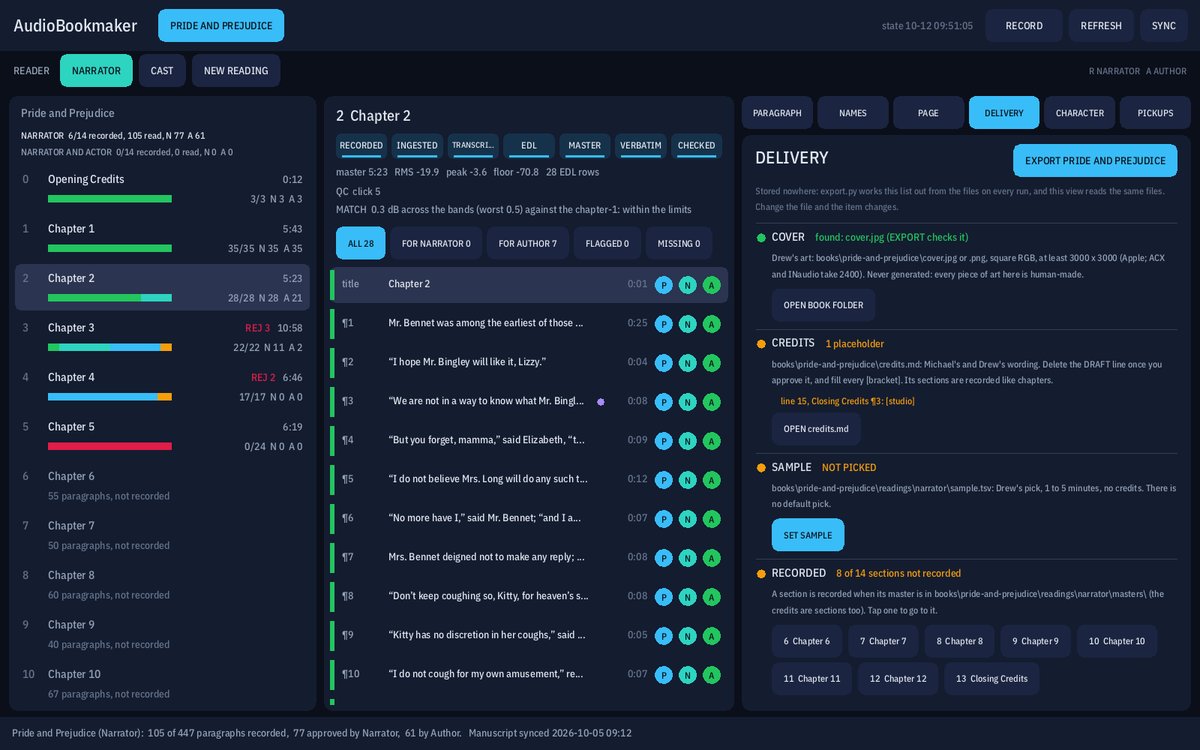
Every paragraph accounted for
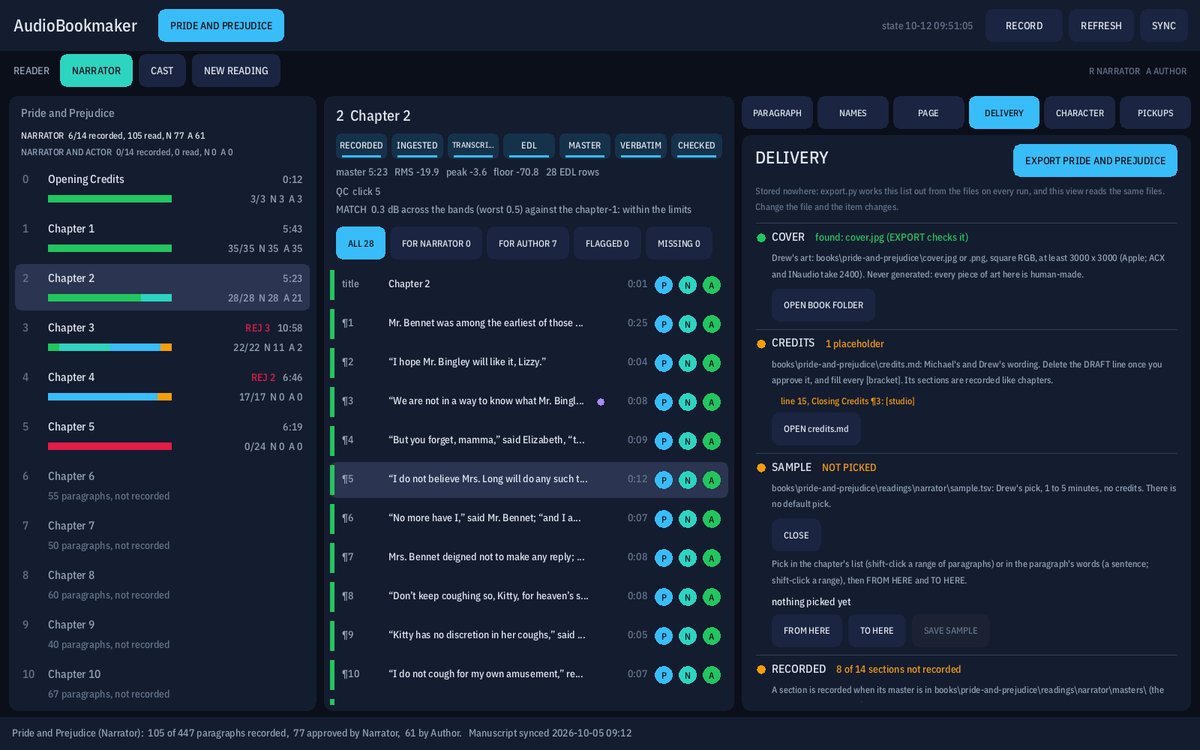
Each paragraph of the book shows whether it has been recorded, whether the recording matches the page, and who has approved it. A gap is shown as missing, never as done, and DELIVERY lists what still stands between the book and the stores: the cover, the credits, the sample, the sections with no master.
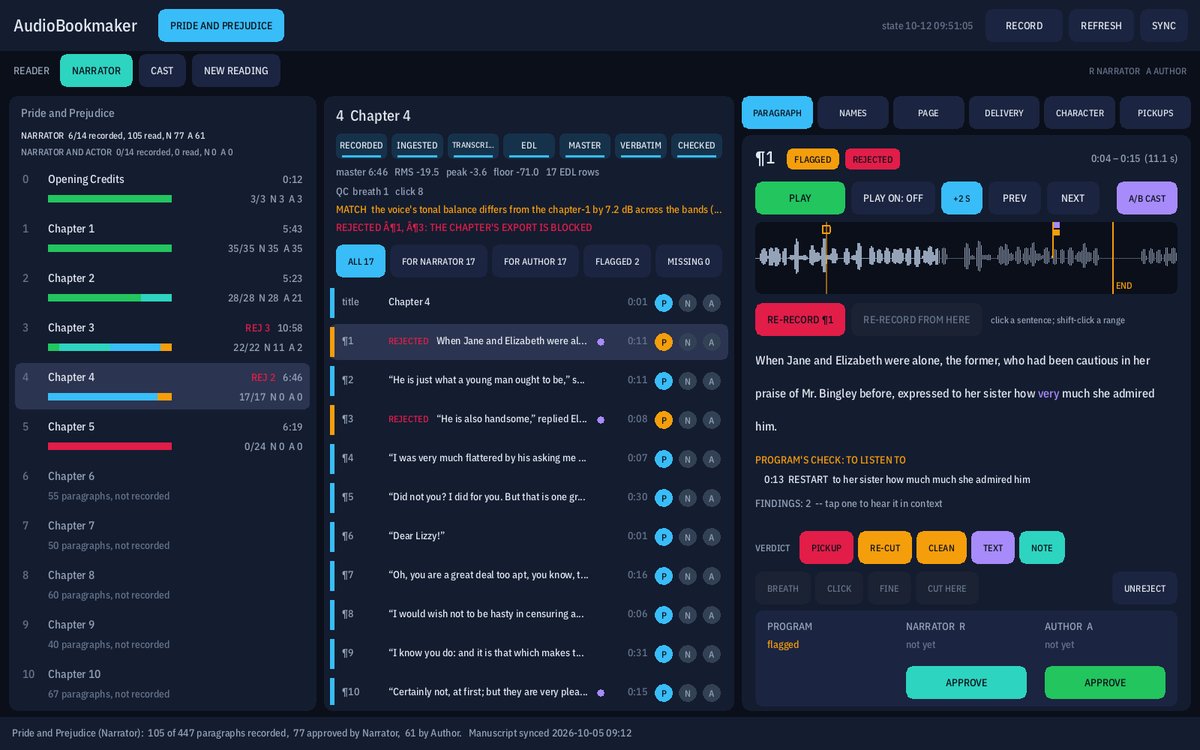
Three checks on every paragraph
The program checks the audio against the page first. Then the reading’s reviewer listens and approves, and the author has the final word. An approval names the exact audio it heard, so if that audio changes, the paragraph asks to be heard again.
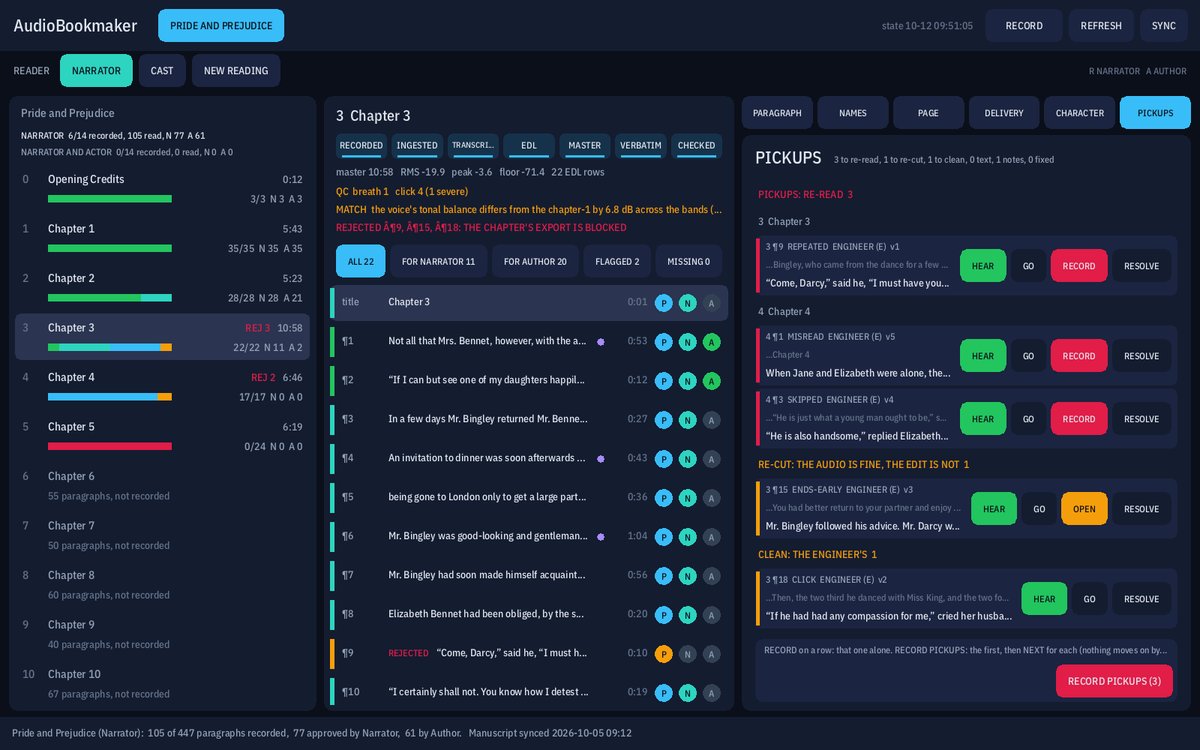
A pickup list that knows the line
Every judgement carries what to do next: re-read it, re-cut it, clean a click, look at the page, or a note for the author. PICKUPS gathers them by kind, each with the line before it as the cue and HEAR, and RECORD records them one at a time.
More than one voice
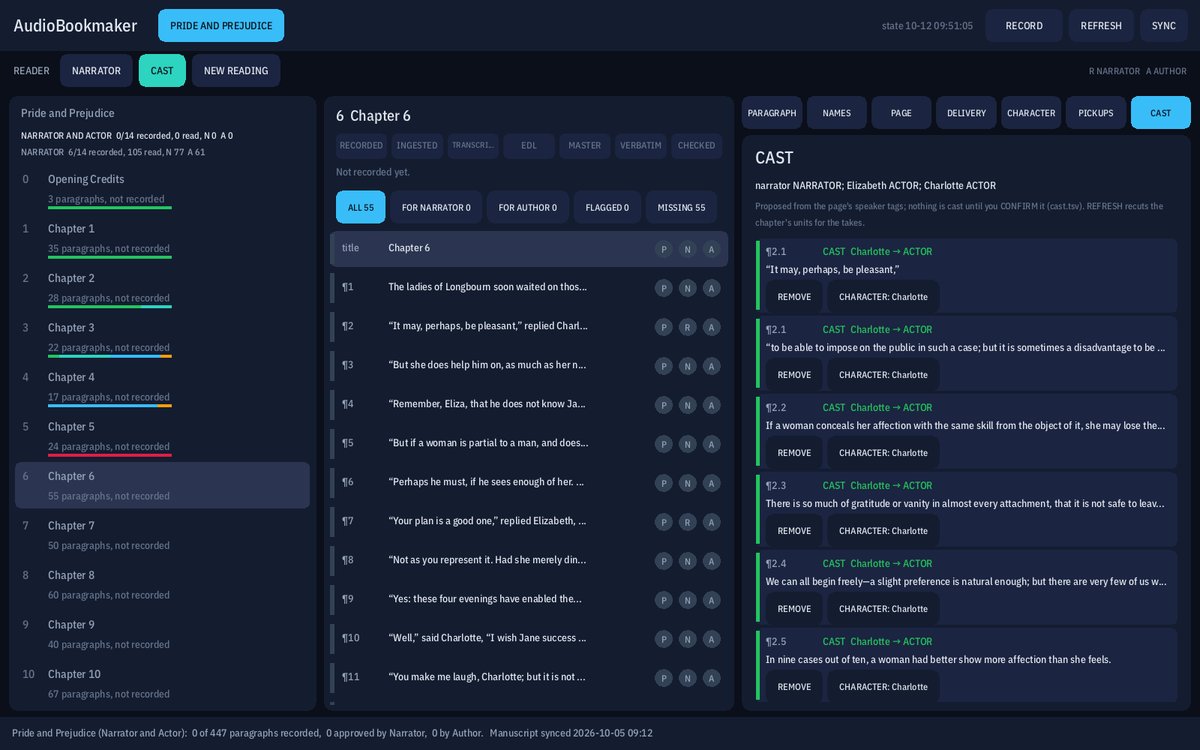
A book can have more than one reading: a second narrator, or a cast where each character’s lines are read by the person cast for them. The CAST view proposes who speaks each quotation from the page; nothing is cast until someone confirms it. Each reading keeps its own takes and its own approvals.
Notes from the desk, not interruptions
Tap a sentence in FOLLOW to hear it straight out of the take that is still recording, or to suggest a retake. The suggestion is one quiet line on the narrator’s page, and a row on the pickup list until it is done.
Changes to the book
The manuscript comes from the author’s own committed copy. When the author revises it, AudioBookmaker notices, and the paragraphs that changed are shown as needing a new read. Nothing recorded against the old page is passed off as matching the new one.
The 3D view
More of the panel
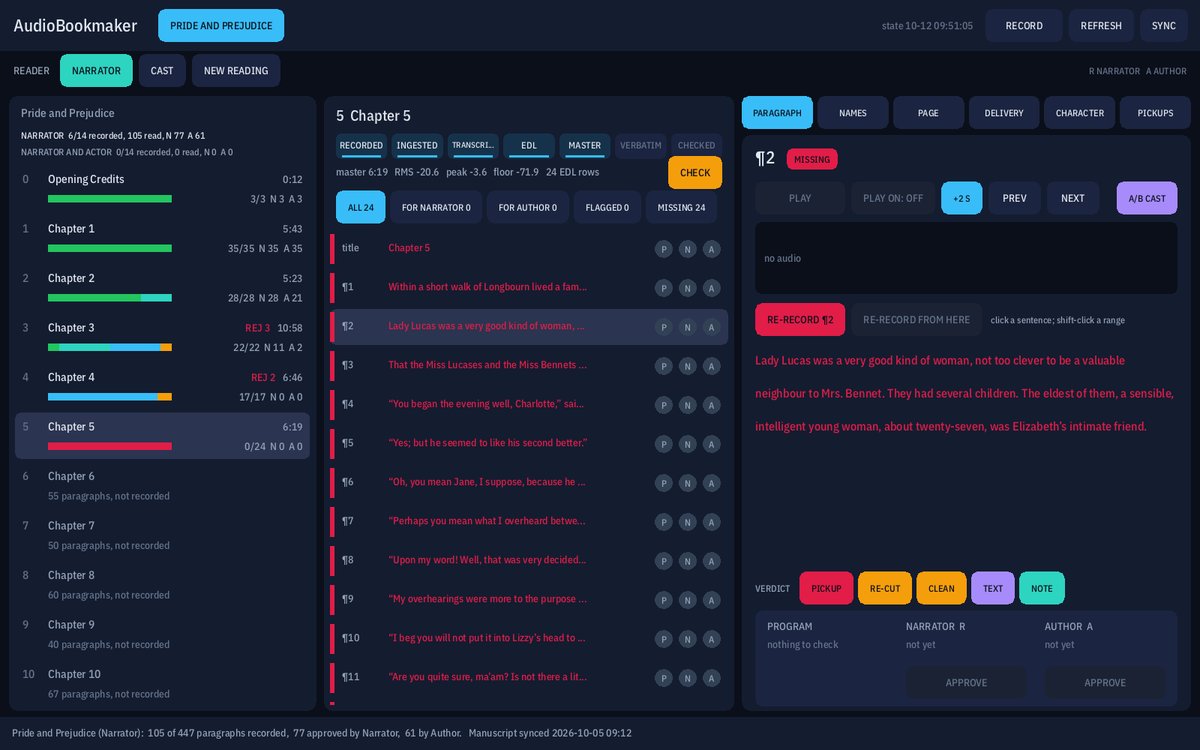
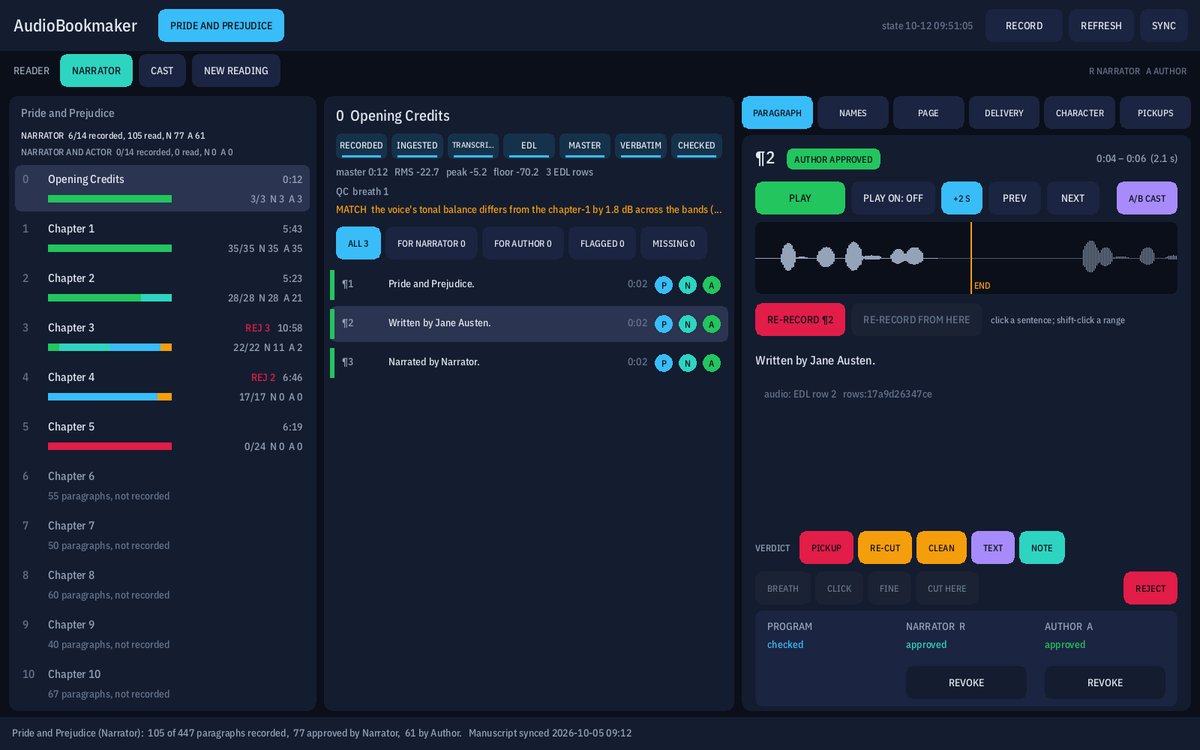
The same demonstration book on other screens: a chapter mastered and waiting for Program to listen, the credits read and approved, and the retail sample being picked.
The plain facts
- Who it is for
- Authors and narrators turning a finished manuscript into an audiobook.
- How you get it
- It is our own studio tool, not a product on a shelf. Nothing to download here.
- Runs on
- A Windows PC for the engineer, in portrait or landscape, and an Android tablet for the narrator, on the same local network.
- Made by
- Haunted Space Hotel Studios.
- Talk to us
- Contact us about AudioBookmaker. A person answers.